ATT, T-Mobile and Verizon Email-to-Text Shutdown: What Businesses Should Use Instead
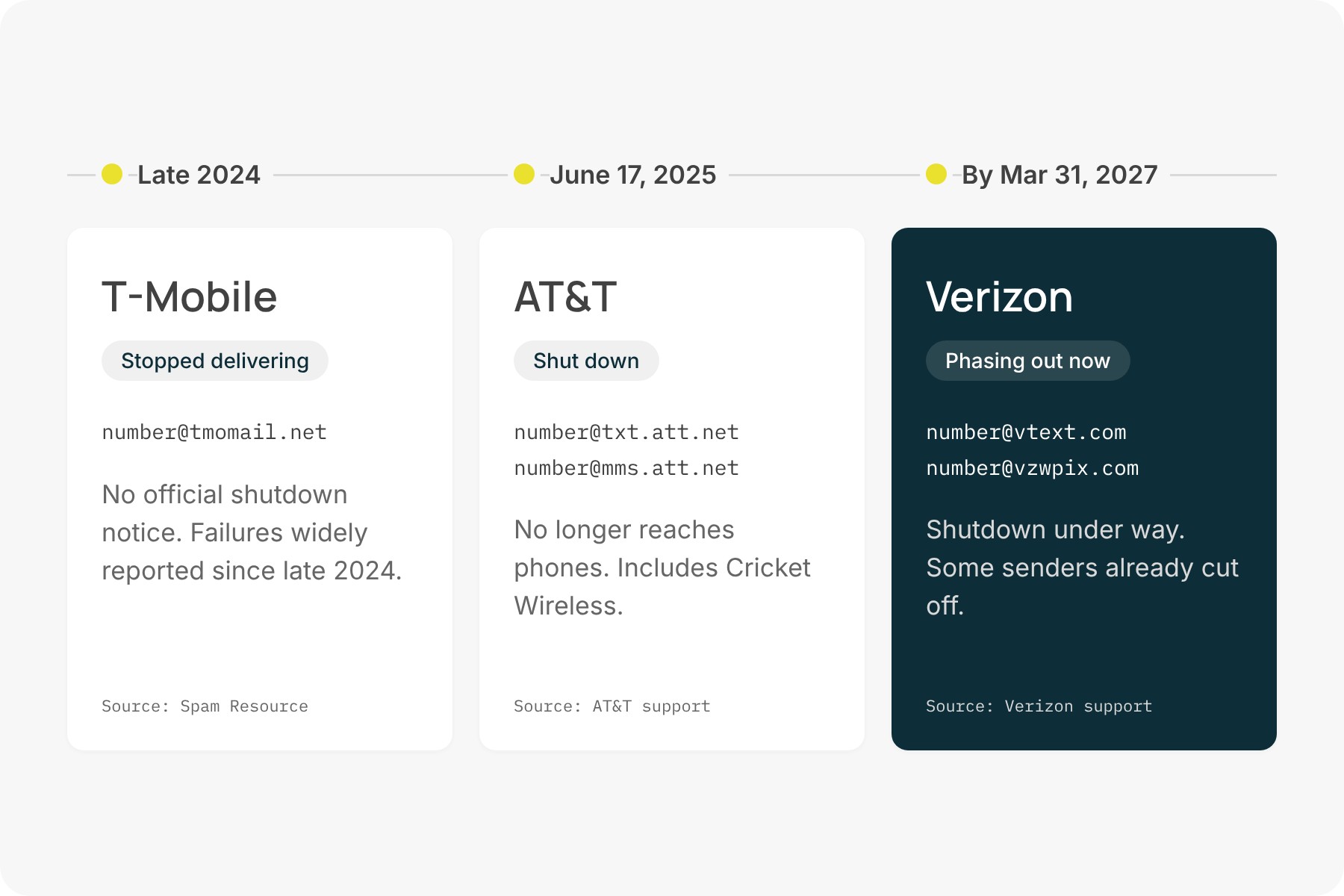
If your alerts, reminders or CRM texts have gone quiet, it’s not your setup. AT&T email to text shut down on June 17, 2025. T-Mobile’s tmomail.net stopped delivering without ever announcing an end date. And Verizon has started retiring vtext.com, with the shutdown due to finish by March 31, 2027.
This guide covers what happened to each carrier’s email-to-SMS gateway, why the carriers pulled the plug, and how to get the same workflow running again. You’ll still send an email and it will still arrive as a text, but it will go out from a registered business number.
In this guide
- TL;DR: carrier email-to-text status at a glance
- What happened to AT&T, T-Mobile and Verizon email to text
- Why the free email-to-SMS gateways couldn’t last
- Email to text not working? Here’s what broke
- The email-to-SMS alternative for businesses
- What to look for in a replacement
- How to migrate a broken email-to-text workflow
- FAQ
- Key takeaways
TL;DR: carrier email-to-text status at a glance
All three major US carriers are ending their free email-to-text gateways. Here is where each one stands.
| Carrier | Gateway address | Status | Date |
|---|---|---|---|
| AT&T (including Cricket) | [email protected] (SMS) [email protected] (MMS) |
Shut down | June 17, 2025 |
| T-Mobile | [email protected] | Not delivering. No official shutdown notice. | Widespread failures since late 2024 |
| Verizon | [email protected] (SMS) [email protected] (MMS) |
Phasing out. Some senders are already cut off. | Complete by March 31, 2027 |
If any system you run still sends to these addresses, those messages either aren’t arriving or soon won’t be.
What happened to AT&T, T-Mobile and Verizon email to text
For roughly two decades, every major US carrier ran a free email-to-SMS gateway. You emailed a 10-digit phone number at the carrier’s domain, and it arrived on that person’s phone as a text. Between late 2024 and mid-2025, two of the three gateways went dark, and the third now has an end date.
AT&T: txt.att.net and mms.att.net
AT&T’s support notice is direct. On June 17, 2025, the email-to-text and text-to-email service was shut down. Emails to [email protected] and [email protected] no longer reach phones, and AT&T customers can’t text an email address either. Cricket Wireless, which runs on AT&T, lost the feature on the same day.
T-Mobile email to text: tmomail.net
T-Mobile never published a shutdown date. Users started reporting failures in late 2024, and messages to [email protected] have largely gone undelivered since, often with no bounce or error. As recently as July 2026, the email deliverability blog Spam Resource described it as probably shut down, with little official word. Our advice is to treat tmomail.net as gone.
Verizon email to text: vtext.com and vzwpix.com
Verizon is the only carrier with a published end date. Its shutdown notice says the process has already begun, should be complete by March 31, 2027, and that some senders may lose access sooner. Verizon also notes that messages may already be blocked by spam filtering or by recipients who turned the feature off. In other words, “still technically running” doesn’t mean “still reliable.”
Why the free email-to-SMS gateways couldn’t last
The carriers haven’t said much about why. AT&T’s notice gives no reason, the University of Missouri’s IT team cited outdated technology, security concerns and maintenance costs, and Verizon notes that gateway messages may already be blocked by spam filtering.
From where we sit, the bigger story is registration. Since February 2025, the major US carriers have blocked texts from unregistered 10DLC numbers outright. A local business number can’t send a single text until it’s attached to an approved 10DLC campaign, and toll-free numbers go through their own verification. Each registration identifies the business, describes what it will text about, and shows how people opt in and opt out, following the CTIA Messaging Principles and Best Practices.
Free gateways had no place in that system. A gateway message had no registered business behind it, no described use case and no consistent way to honor a STOP reply. To a carrier, a legitimate appointment reminder sent through a gateway looked the same as the unvetted traffic it was working to keep off its network.
Registration is also where most businesses get stuck. Applications pass through multiple carrier reviewers, requirements differ from carrier to carrier, and one rejected detail can send you back to the start. That’s why we take it on for our customers. Here’s what white-glove 10DLC registration looks like in practice.
Email to text not working? Here’s what broke
The frustrating part is how quietly it failed. In many cases the email was accepted, nothing bounced, and the text never arrived. Teams found out when someone missed something important.
These are the workflows we hear about most:
- IT and monitoring alerts. Server, network and backup tools that emailed an admin’s cell phone when something went down.
- Alarm and building systems. Security panels, freezer monitors and generators configured to text a manager through a gateway address.
- On-call notifications. Rotations that paged the on-call person by emailing their carrier address.
- Appointment and CRM reminders. Confirmations sent from a CRM or scheduling system that only knew how to send email.
- Staff texting customers from Outlook. Office managers who looked up a client’s carrier and emailed the gateway address by hand.
There was always a hidden flaw, too. Gateways only worked if you knew the recipient’s carrier. When someone switched carriers and kept their number, texts to the old gateway went nowhere. That was true long before the shutdowns.
The email-to-SMS alternative for businesses
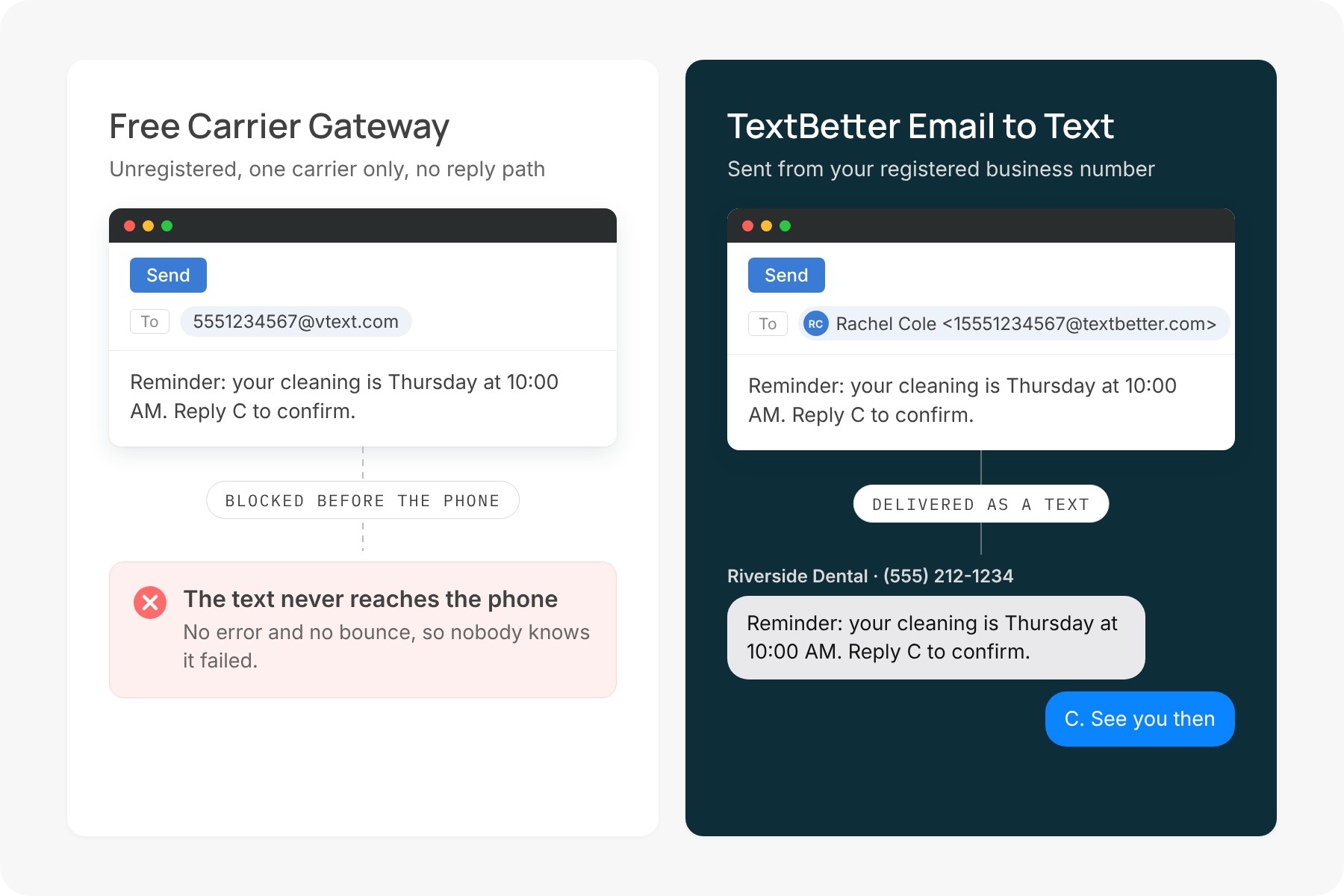
The fix is the same workflow with different plumbing. With a business email-to-text service, you still send an email and it still arrives as a text. The difference is the route. Instead of passing through a carrier’s open gateway, the message goes out from a registered business phone number, often the main line your customers already call.
Here’s how that works when you send texts from your email client with TextBetter:
- You address the email to 1 + the area code + the mobile number @textbetter.com, like [email protected]. No carrier lookup, and it reaches every major carrier.
- It arrives from your business number, not an unfamiliar code, so people recognize it and reply.
- Replies come back to your inbox in the same thread, so you answer by hitting reply.
- Messages stay in email, so your existing archiving and retention tools keep a record.
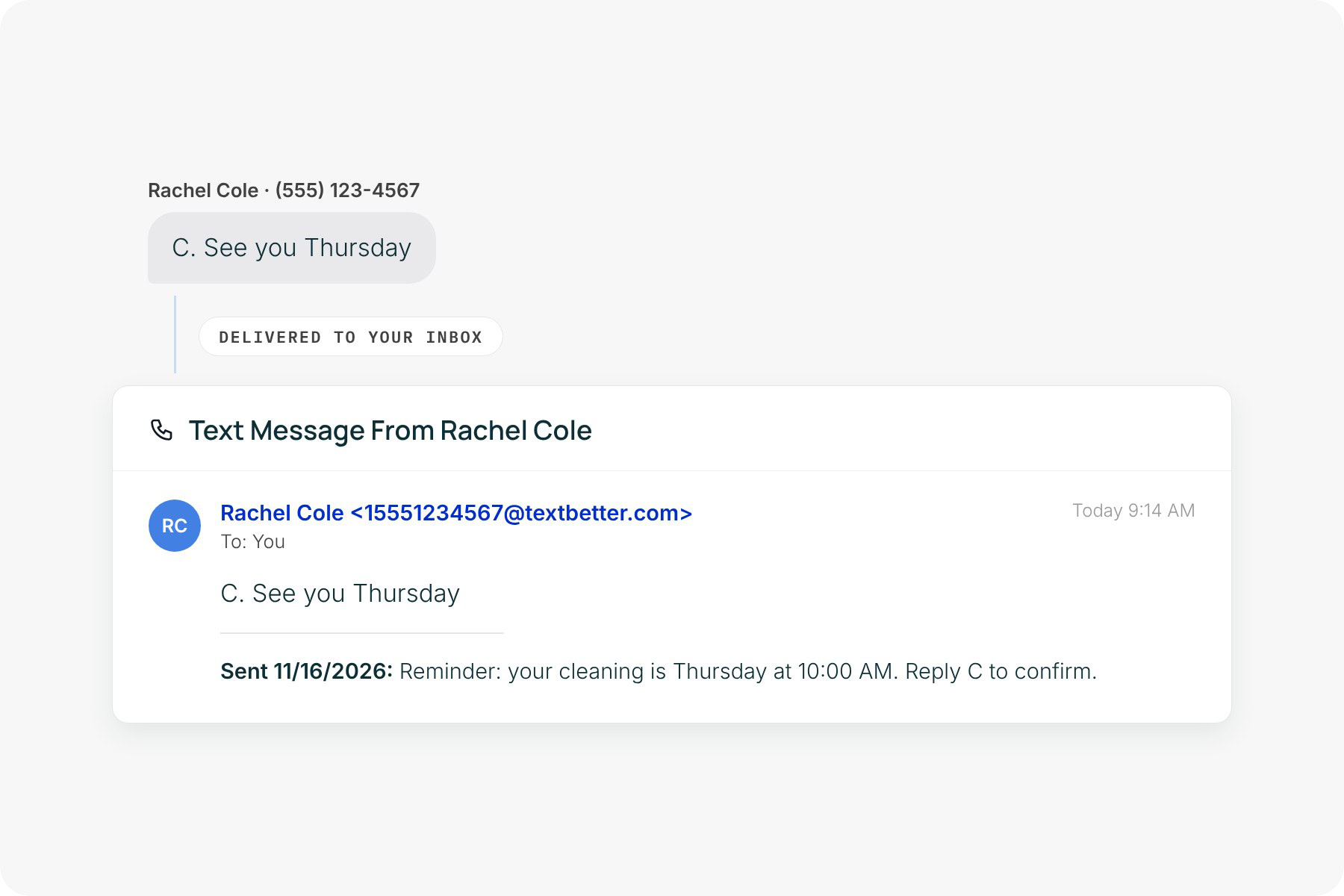
For a step-by-step walkthrough, see our guide to sending a text message from your business email.
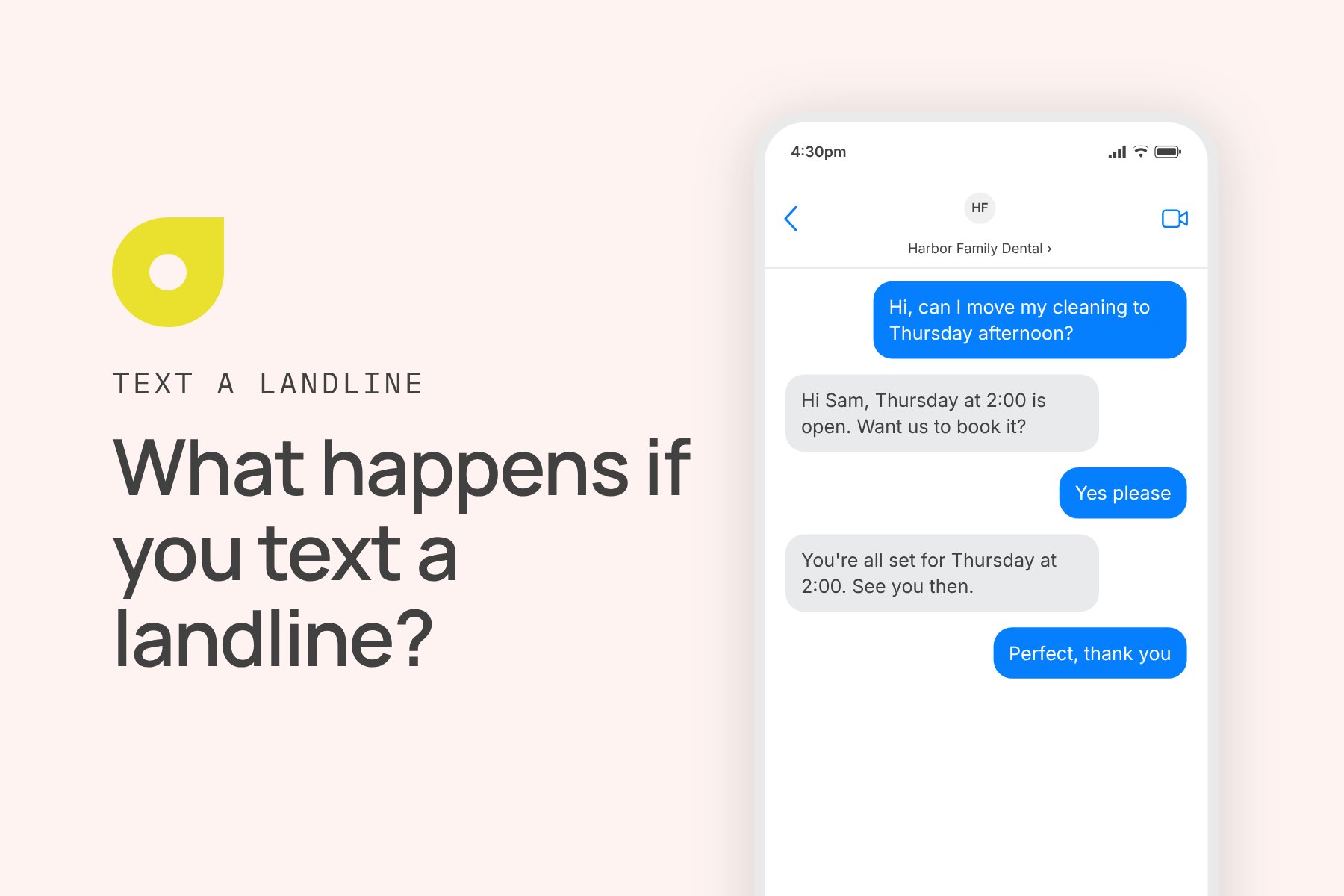
You don’t need a new phone number. You can text-enable the number you already have, whether it’s a landline, toll-free or VoIP line, without changing your phone service. Once it’s text-enabled, customers can text that same number back. If you’ve ever wondered what happens if you text a landline, the answer depends on whether it’s set up for texting. We handle the carrier registration so your messages are approved to deliver.
| Free carrier gateway | Business email-to-text | |
|---|---|---|
| Reaches | One carrier’s customers only | Every major US carrier |
| Sender shown | Gateway or short code | Your business number |
| Replies | Unreliable or none | Back to your inbox, threaded |
| Carrier registration | None | Handled for you |
| STOP requests | Not tracked | Honored automatically |
| Photos and PDFs | Limited | Supported |
| Status today | Shut down or ending | Active |
If your team mostly sends one-to-one messages, it’s worth reading about why teams send texts by email instead of adopting another app. If your alerts come from software at high volume, an SMS API may be the better fit.
What to look for in a replacement
Not every email-to-SMS alternative solves the problems that killed the gateways. Look for:
- Registration handled for you. 10DLC or toll-free registration, with someone who reads carrier feedback and fixes issues before they block delivery.
- A number your customers know. The option to use your existing business line, not just a new one.
- Two-way replies. Answers should come back where you sent from, not disappear.
- Threading. Each conversation stays in one email thread, not scattered across your inbox.
- Works with what you have. Outlook, Gmail, Exchange and any CRM or system that can send email.
- Picture messaging. Photos, PDFs and links, not just plain text.
- Automatic opt-out handling. STOP requests honored across every user and number.
- Real support. People who know your account and pick up the phone when alerts stop.
How to migrate a broken email-to-text workflow
If something already broke, or you want to get ahead of Verizon’s deadline, here’s the order we recommend.
1. Find every place the old addresses live. Search alert rules, CRM workflows, distribution lists, contact records and device settings for txt.att.net, mms.att.net, tmomail.net, vtext.com and vzwpix.com. Alarm panels and older tools are easy to miss.
2. Choose your sending number. Decide whether texts should come from your main line, a department line or a new number. Customers respond best to a number they recognize.
3. Register the number. Describe each use case accurately (alerts, reminders, customer service). This is where most delays happen, and it’s the step we take on for you.
4. Swap the addresses. Replace each carrier gateway address with 1 + the area code + the mobile number @textbetter.com. For example, [email protected] becomes [email protected]. Since every carrier uses the same format, one change covers everyone.
5. Clean up the message content. Keep texts short, drop long signatures and legal footers, and include opt-out language on customer-facing messages.
6. Decide where replies go. Point them to a shared mailbox or the right person so customer answers don’t land in an unwatched inbox.
7. Test on every carrier. Send to AT&T, T-Mobile and Verizon phones, reply from each, and confirm the reply threads correctly before you switch everything over.
FAQ
Does email to text still work?
Not through the carriers’ free gateways. AT&T’s shut down in June 2025, T-Mobile’s stopped delivering in late 2024, and Verizon’s ends by March 31, 2027. Email to text does still work through business texting providers like TextBetter, which send from your registered business number and include white-glove registration support to get that number approved.
Is vtext going away?
Yes. Verizon has started shutting down vtext.com and vzwpix.com and expects to finish by March 31, 2027. Some senders may lose access earlier.
What replaced txt.att.net?
There’s no free replacement address. The practical replacement is a business email-to-text service like TextBetter’s, which sends from a registered number and returns replies to your inbox.
Can I still send a text from Outlook?
Yes. With business email-to-text, you send from Outlook, Gmail or Exchange the same way you send any email.
Is email to SMS free?
The carrier gateways were free. Registered business texting is a paid service because it includes carrier registration, delivery to every carrier and two-way replies.
Key takeaways
- AT&T email to text (txt.att.net, mms.att.net) ended June 17, 2025, including Cricket.
- T-Mobile’s tmomail.net stopped delivering in late 2024 without an official announcement.
- Verizon’s vtext.com and vzwpix.com end by March 31, 2027, and some senders are already cut off.
- The gateways couldn’t fit into carrier registration, which now governs how business texts get delivered.
- Business email-to-text keeps the same workflow and sends from a registered number your customers know.
Get your texts delivering again
Our team will help you move alerts, reminders and email workflows to a registered business number. We handle carrier registration and help you test before you switch. Request a demo