What happens if you text a landline? (And how to make it actually work)
You typed a business’s main number into your phone, sent a text, and… nothing. No reply, no “delivered,” maybe an odd error. So what happens if you text a landline? It depends on the carrier and on whether that landline has been set up for texting. This guide explains the possible outcomes in plain English, then shows how businesses make their landline numbers receive real texts.
Quick answer: When you text a regular landline, one of three things happens. The text fails (sometimes with an error, sometimes silently). Your carrier turns it into an automated phone call that reads your message aloud. Or, if the landline has been text-enabled, it arrives as a normal text that the business can read and answer. Most business landlines can be text-enabled without changing the number or the phone service.
In this article
- What happens when you text a landline
- Can you text a landline? Yes, if it’s text-enabled
- How text-enabling a landline works
- Why businesses text-enable the number they already have
- How to text a landline number that’s text-enabled
- Common questions
- Key takeaways
What happens when you text a landline
A traditional landline phone can’t display a text message. So when you send one, the outcome depends on what the carriers in between can do with it. There are three realistic results.
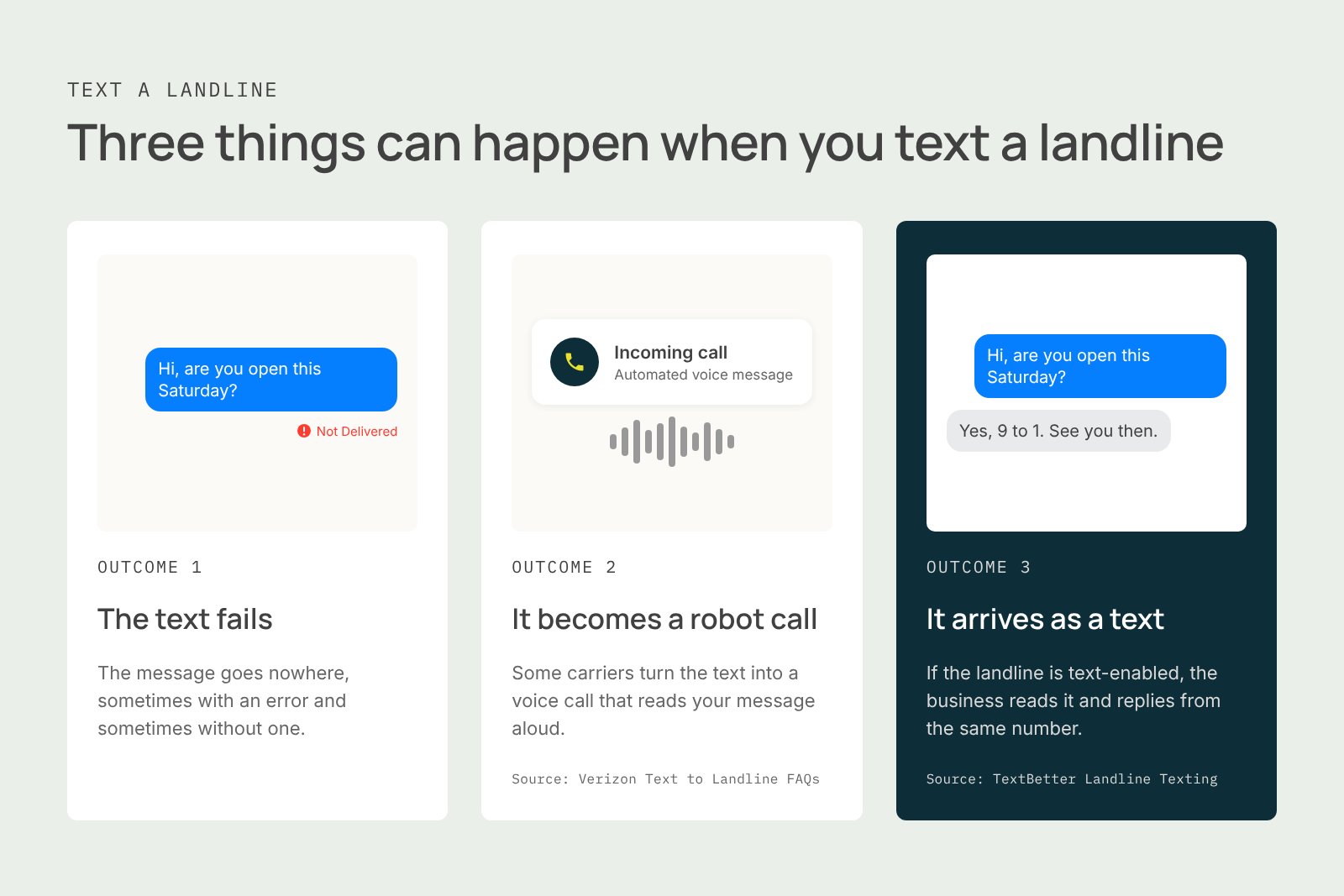
Outcome 1: The message fails
If neither the sender’s carrier nor the landline’s provider supports any kind of text-to-landline handling, the text goes nowhere. It may simply disappear without any notification. Other times you’ll get a generic “not delivered” error. Either way, the person on the other end never knows you tried.
Outcome 2: The text becomes a robot phone call
Some carriers convert your text into a voice call. Verizon is the clearest example. Verizon first checks whether the landline is eligible, records your text in a computer voice, and calls the number. If someone answers, a recording asks whether they want to hear a message from your mobile number; if no one answers, it’s left as a voicemail.
It works, technically, but it’s clunky. The service only works for most White Pages listed numbers, and it won’t deliver to unlisted numbers, medical facilities, or fax lines. The landline owner can only reply with a voice recording, not a text. For a business, that means a robotic call no one expects, and no written record of the conversation.
Outcome 3: It arrives as a real text
If the landline has been text-enabled, your message lands exactly like any other text, and the business can reply from the same number. This is more common than most people realize. Verizon’s own texting FAQ notes that many US landline numbers can receive texts.
Can you text a landline? Yes, if it’s text-enabled
So, can landlines receive texts? Not on their own. But a landline number can be text-enabled, which means messaging gets connected to the number while phone calls keep working exactly as they do today.
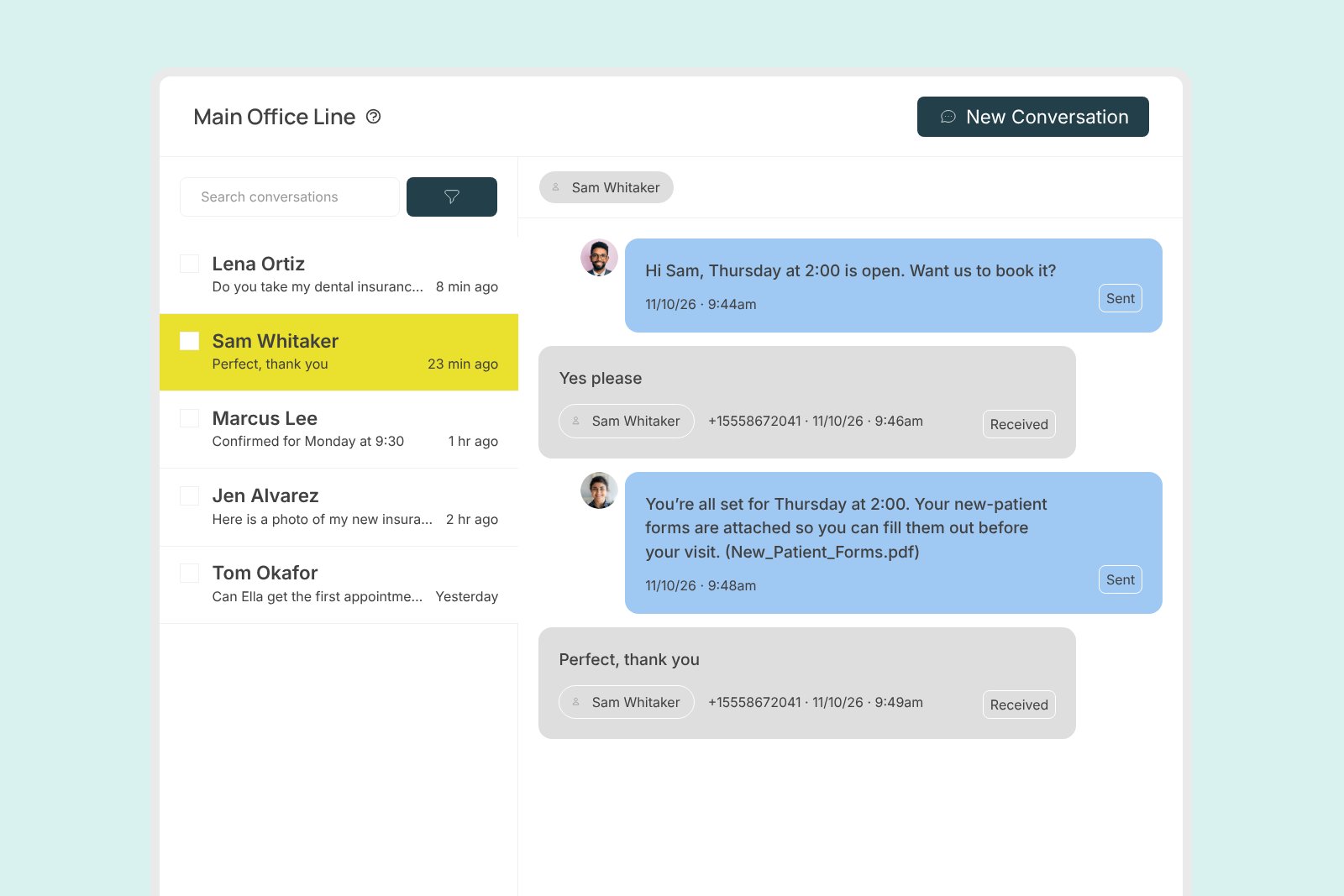
Once that happens, anyone can text a landline number from their cell phone, and the business reads and answers those texts on a computer, a mobile app, or even in email. The desk phone itself never changes. Only the number gains a new ability.
That’s what we do at TextBetter. We help businesses text-enable your landline (or VoIP or toll-free number) so customers can finally reach them the way they already prefer to communicate.
How text-enabling a landline works
Text-enabling isn’t complicated for the business, but there’s more happening behind the scenes than most people expect. Here’s the process.
1. Confirm you own the number. You sign a short authorization confirming the business controls the number. Your phone provider doesn’t change, and nothing is ported.
2. Register the number with the carriers. This is the step that trips businesses up. Before a business number can send texts reliably, the mobile carriers need to know who’s texting and why. For regular 10-digit numbers, that’s called 10DLC registration, and it runs through The Campaign Registry, the central hub carriers use to review business texting. The standards behind it come from the wireless industry’s CTIA Messaging Principles and Best Practices.
In practice, a single application can pass through several reviewers, and each one can reject it for a different reason. Every resubmission restarts part of the line. Our team reviews each application for red flags before it’s submitted, which is the single biggest factor in getting approved without weeks of back-and-forth. You can read more about how we handle carrier registration.
A quick note: carrier registration is about meeting carrier requirements. For questions about consent laws or other legal obligations, check with your legal counsel.
3. Turn on messaging. Once the carriers approve the registration, texting is switched on. Most businesses are up and running in less than 30 minutes, with no downtime. Calls ring the same phones they always have.
4. Choose where texts show up. Replies can land in TextBetter’s web and mobile apps, so several team members can see and answer them. Or they can come straight into Outlook or Gmail with Email to Text, where you reply to a text just like you’d reply to an email.
Why businesses text-enable the number they already have
A business could buy a brand-new number just for texting. Most don’t, for good reasons.
- Customers already know the number. It’s on the website, the invoices, the sign on the door. People don’t save a second “text-only” number.
- Customers are already texting it. Many businesses are surprised to learn how many texts have been going nowhere. As one law firm partner put it in a review: “I was so surprised at how many people were texting my landline.”
- Familiar numbers get answered. A text from a local business number feels personal and trustworthy, so customers are more likely to respond.
- Conversations stay with the business. Staff stop texting clients from personal cell phones. As one attorney wrote in a Google review: “No longer do we need to use our personal cell phones when communicating with our clients. They simply text our landline.”
- One number does both. Callers and texters reach the same place, so nothing gets split across two lines.
How to text a landline number that’s text-enabled
From the sender’s side, there’s nothing special to do.
1. Open your regular texting app. No extra app or account needed.
2. Enter the business’s 10-digit number in the “To” field, the same way you’d text a cell phone.
3. Type your message and send it. If the business supports picture messaging, you can attach a photo of a document, a form, or a receipt.
4. Watch for the reply. It comes back from the same business number you texted, so it’s easy to recognize.
If you text a landline and get a voice-call prompt or an error instead, the number hasn’t been text-enabled yet. Calling is your best bet for now.
Common questions
Does it cost anything to text a landline?
If your carrier converts the text into a voice call, there may be a fee. Verizon charges $0.25 for each successfully delivered Text to Landline message, and the person receiving it pays nothing. Texting a landline that’s been text-enabled is just a normal text on your plan. The business pays its texting provider, not you.
Can VoIP numbers receive texts?
Yes, once they’re text-enabled. VoIP business numbers go through the same carrier registration as traditional landlines, and voice service stays with your current VoIP provider.
Can toll-free numbers receive texts?
Yes. A toll-free number can send and receive texts after it goes through toll-free verification with the carriers. Learn more about using a text-enabled toll-free number.
How do I know if a landline can receive texts?
Send a short test text. If it comes back as a voice-call prompt, a fee notice, or a failure message, the number isn’t text-enabled. If it’s your own business number, a texting provider can check it for you.
What if my business doesn’t have a landline?
You can add a virtual number for texting in any U.S. area code, and it can forward calls to your existing phone system.
Key takeaways
- Texting a regular landline usually fails or becomes an automated voice call. Neither is a real conversation.
- Landlines can receive texts once the number is text-enabled. The number and phone service stay the same.
- Carrier registration (10DLC or toll-free verification) is required before texts flow reliably, and getting the application right the first time saves weeks.
- Customers are likely already texting your landline. Text-enabling it means you finally see those messages.
- Replies can be handled in a web or mobile app, in email, or in your CRM.
Find out if your landline can text
If customers are texting your business number and hearing nothing back, you may be missing more conversations than you think. Our U.S.-based team will check your number, handle carrier registration from start to finish, and get you texting from the number your customers already know. Schedule a demo to see how it works.