Company

TextBetter makes SMS integrations easy. Connect your CRM, helpdesk, email system, or internal tools so messages sync automatically and conversations log in real time without manual entry.

Key Benefits

All SMS messages automatically log into your CRM platform, ticketing system, or email archive, creating true CRM SMS integration and giving every team full visibility into customer interactions.

Stop copying and pasting text messages or manually logging SMS activity—integrations sync conversations, contacts, and events automatically.

Incoming text messages and SMS notifications appear in the tools your team already uses—HubSpot, Slack, MS Teams, or email—so responses happen faster and customer satisfaction stays high.
Trigger SMS messages automatically from your CRM, scheduling tool, or internal system based on real business events without manual sending.

Capabilities
TextBetter provides direct CRM SMS integration with the systems your team already uses, keeping customer communication unified, automated, and easy to track.
SMS Suite integrates directly with HubSpot and Pipedrive, pulling contact details into the texting interface and automatically logging message history as CRM notes. Instead of sending one-off alerts, TextBetter captures complete customer interactions so teams always have context. Email to Text works with virtually any CRM that accepts inbound email, making it easy to support SMS conversations across existing workflows.
Teams can receive instant notifications in Microsoft Teams or Slack when new text messages arrive. This keeps customer communication visible in the tools employees already check throughout the day. Response times improve without requiring people to constantly switch platforms. Message context is included so employees can respond quickly, route conversations correctly, and maintain consistent customer satisfaction without switching platforms.
Email to Text works seamlessly with archiving, surveillance, journaling, and compliance platforms because those systems already capture email. As a result, SMS messages automatically follow existing retention policies and audit controls. There is no need for IT involvement or system changes. Any enterprise tool that processes email can capture SMS messages sent through Email to Text without custom development.
TextBetter APIs allow internal systems to trigger text messages based on events or customer data changes. Scheduling systems, ERPs, EHRs, dispatch tools, and other internal platforms can integrate with TextBetter to trigger SMS messages and route inbound replies directly into the systems your team already uses. System-triggered messages and employee conversations stay unified on the same business number, ensuring consistent customer experiences. Inbound replies can route back to CRMs, internal systems, email clients, or TextBetter based on how your team works.

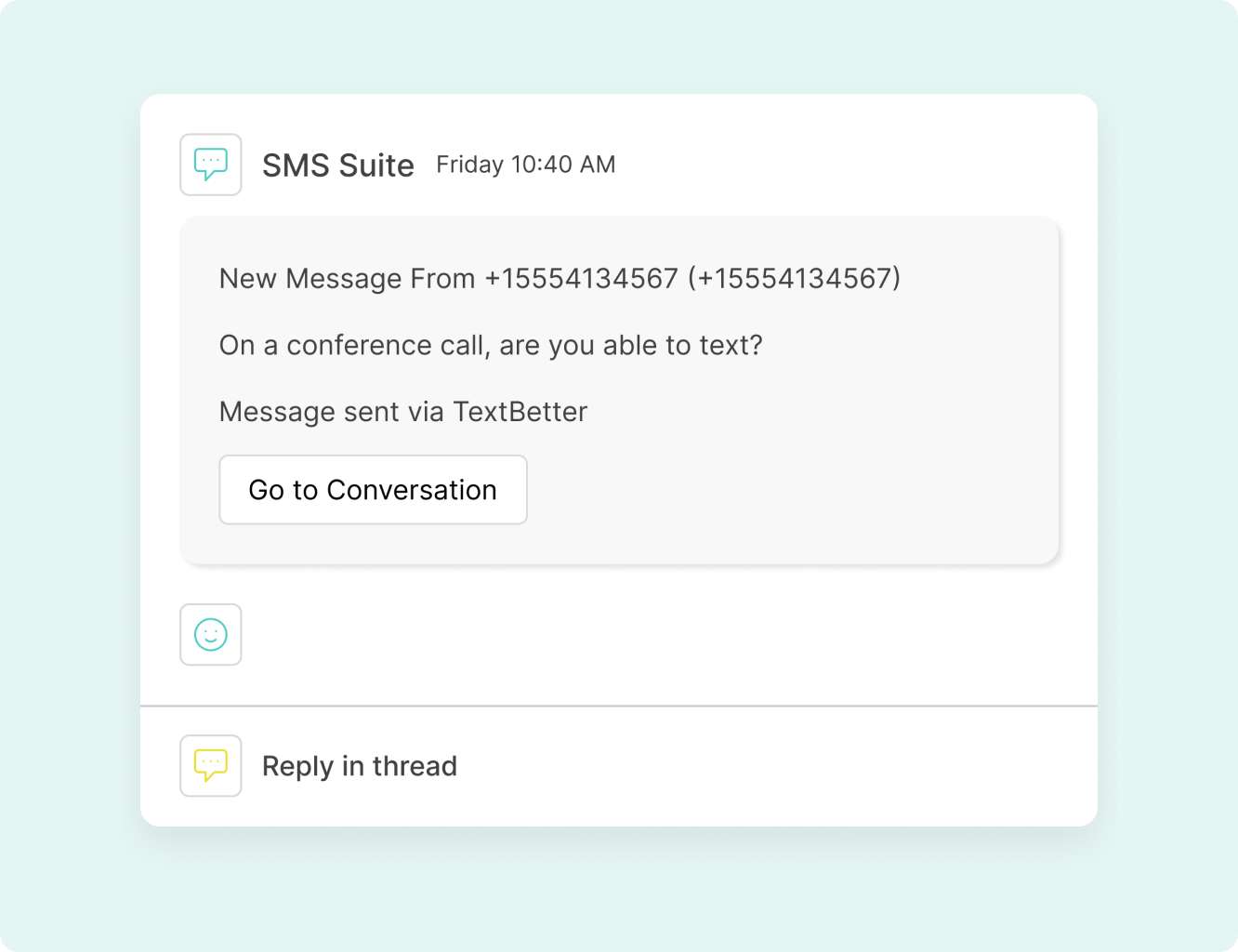


SMS Suite integrates directly with HubSpot and Pipedrive, pulling contact details into the texting interface and automatically logging message history as CRM notes. Instead of sending one-off alerts, TextBetter captures complete customer interactions so teams always have context. Email to Text works with virtually any CRM that accepts inbound email, making it easy to support SMS conversations across existing workflows.
Teams can receive instant notifications in Microsoft Teams or Slack when new text messages arrive. This keeps customer communication visible in the tools employees already check throughout the day. Response times improve without requiring people to constantly switch platforms. Message context is included so employees can respond quickly, route conversations correctly, and maintain consistent customer satisfaction without switching platforms.
Email to Text works seamlessly with archiving, surveillance, journaling, and compliance platforms because those systems already capture email. As a result, SMS messages automatically follow existing retention policies and audit controls. There is no need for IT involvement or system changes. Any enterprise tool that processes email can capture SMS messages sent through Email to Text without custom development.
TextBetter APIs allow internal systems to trigger text messages based on events or customer data changes. Scheduling systems, ERPs, EHRs, dispatch tools, and other internal platforms can integrate with TextBetter to trigger SMS messages and route inbound replies directly into the systems your team already uses. System-triggered messages and employee conversations stay unified on the same business number, ensuring consistent customer experiences. Inbound replies can route back to CRMs, internal systems, email clients, or TextBetter based on how your team works.
Roles

Receive SMS inside ticketing systems or email. Keep conversations tied to customer records automatically.

Log every text message directly in the CRM. Maintain full visibility without manual entry.

Sync contact lists and opt-in data with CRM tools. Keep outreach activity centralized and organized.

Capture SMS in archiving and retention systems. Apply existing monitoring and audit controls automatically.

Embed SMS into internal platforms using APIs. Control routing, automation, and system triggers.
Receive SMS inside ticketing systems or email. Keep conversations tied to customer records automatically.
Log every text message directly in the CRM. Maintain full visibility without manual entry.
Sync contact lists and opt-in data with CRM tools. Keep outreach activity centralized and organized.
Capture SMS in archiving and retention systems. Apply existing monitoring and audit controls automatically.
Embed SMS into internal platforms using APIs. Control routing, automation, and system triggers.
Testimonials
Features

Sync contacts and log complete message history directly in your CRM platform as activity notes.

Post real-time message alerts into your collaboration channels so no reply goes unnoticed.

Work seamlessly with existing archiving, journaling, and monitoring platforms that capture email.

Control exactly where inbound messages go—CRMs, internal systems, custom apps, or TextBetter’s platform.

Automated system messages and live employee conversations both use the same business number.
It depends on the SMS Service. SMS Suite integrates with CRMs like HubSpot and Pipedrive, plus MS Teams and Slack. Email to Text integrates with almost any system that captures or processes email. SMS APIs integrate with CRMs, scheduling platforms, ERPs, EHRs, dispatching systems, logistics tools, and proprietary internal applications.
Usually very little. Email to Text requires almost no IT involvement because it runs through your existing email system. SMS Suite integrations are simple and guided. API integrations require development work, but customers have full flexibility to control routing, automation, and logic.
Yes. With SMS Suite (HubSpot or Pipedrive), incoming and outgoing messages log as notes on contact records to assist with follow ups. With Email to Text, any CRM that accepts inbound email can capture and store SMS messages automatically.
Yes. SMS Suite can post real-time notifications into MS Teams or Slack channels so employees don’t miss incoming messages and relevant information.
Yes. Whether you send messages through different channels such as SMS Suite, Email to Text, or SMS APIs, you can use your existing landline number or one provided by TextBetter.
APIs allow complete control over inbound routing. Messages can go to CRMs, internal systems, email clients, custom applications, or directly into the TextBetter platform.
Yes. This is a unique advantage of TextBetter. System-triggered SMS API messages and human conversations stay unified on the same business number.
Yes. Email to Text integrates seamlessly with most archiving, surveillance, journaling, and monitoring platforms because those tools already capture email.
No. SMS Suite runs in the browser. Email to Text uses your existing email contact list. SMS APIs connect directly to your systems. No extra desktop software is required.
Yes. Integrations allow centralized communication tracking, automated routing, and consistent workflows across departments, whole teams, or multi-site organizations.
Landline texting solutions built for business
Prefer to talk it through? Call us at (800) 322-1112