Company

When deadlines are tight and clients need answers, business text messaging keeps cases moving without losing documentation or control.

Our Legal Clients




The Problem
Clients overlook emails and miss calls when attorneys need confirmations, documents, or approvals to keep cases moving. Many attorneys resort to texting from personal devices, creating gaps in documentation and supervision. Meanwhile, repeated reminders and follow-ups consume hours of paralegal and administrative time.
Features
TextBetter’s Email to Text solution gives law firms secure, documented messaging without new software to learn. Messages route through your existing email environment, so every text is automatically captured, logged, and tied to the correct client or matter file.
TextBetter ensures all texts are captured, logged, and auditable within your firm’s email system. Message threads can be forwarded to legal team members, saved directly into case management systems, and stored in client drives—letting firms treat text just like email in the workflows they already use.

TextBetter text-enables your firm’s main line and each attorney’s direct dial, so clients text numbers they already know. All communication stays on firm-owned numbers with complete logging, retention, and auditability to support record-keeping and supervisory requirements.

When multiple attorneys and paralegals work on the same case, TextBetter keeps all communication organized and accessible to authorized team members. Supervising attorneys maintain visibility into client communication, supporting oversight responsibilities, and ethical obligations.

TextBetter provides opt-out handling tools that help firms document and enforce STOP/UNSUBSCRIBE actions across all staff and matters. This reduces risk by ensuring opt-outs are consistently recognized and applied, avoiding gaps created by personal-device texting.

The Numbers
* Industry data from Pew Research, ABA TechReport, and Thomson Reuters Legal Market Reports.
Applications
From court reminders to document requests, TextBetter makes it simple to communicate faster while maintaining complete documentation trails.

Send timely reminders that reduce no-shows and ensure clients arrive prepared for hearings, depositions, and consultations.

Send brief updates, confirm information, answer client questions, and provide case status from existing office numbers to keep communication fast and organized.

Request missing paperwork, signatures, or intake details so clients can reply quickly without phone tag delays.

Clients text photos of court notices, government letters, evidence, forms, or ID documents that staff can download and save into the matter record.

Send urgent updates about filing deadlines, required actions, video call links, or schedule changes to ensure clients see critical information immediately.

Keep communication centralized and visible across attorneys, paralegals, and support staff working on the same matter.
Testimonials
Use Cases
See how different types of law firms use TextBetter to accelerate client communication while maintaining documentation, supervision, and matter file integrity.
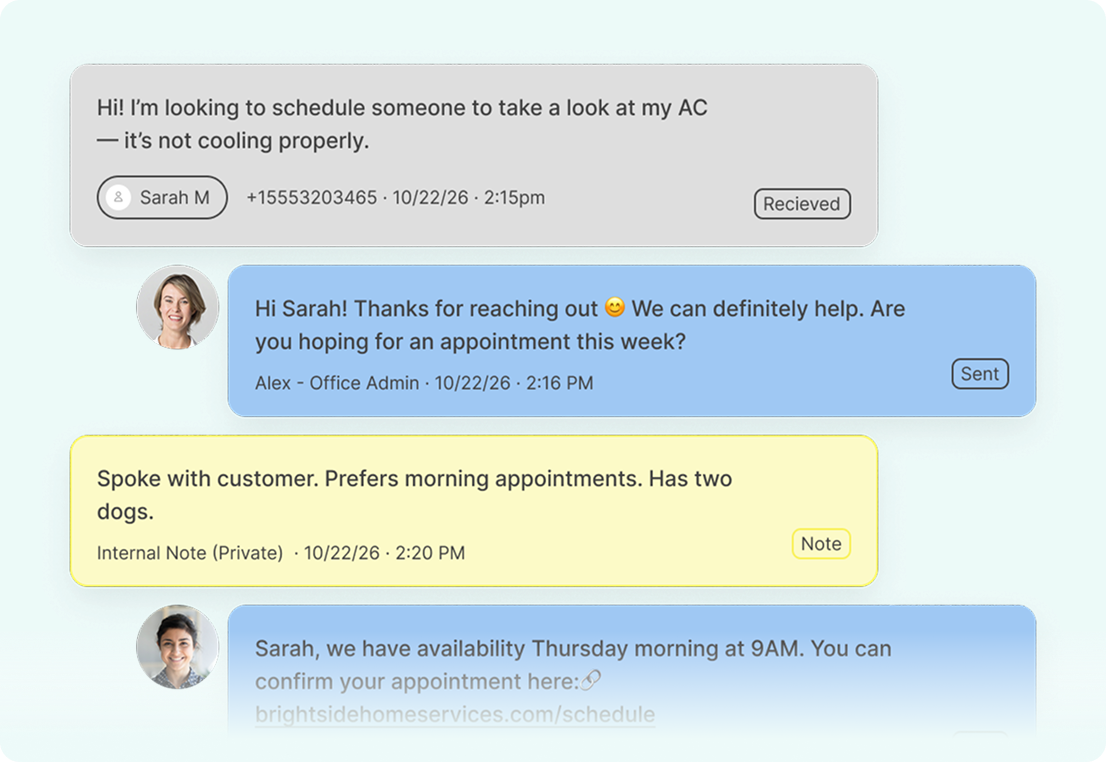
Allow multiple attorneys, paralegals, and support staff to access and manage client text conversations from the same firm-owned number, ensuring continuity and supervision across every matter.
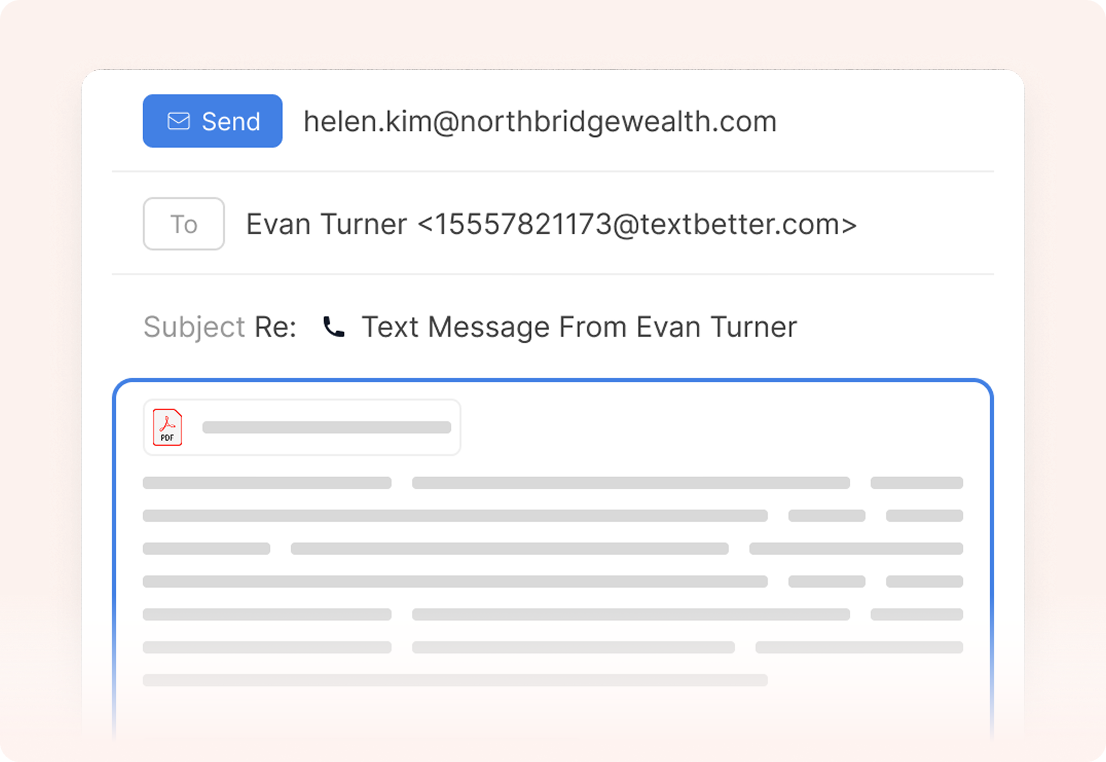
Enable attorneys to send and receive text messages directly from their existing email environment, automatically capturing each message in the matter file for retention and audit purposes.

Support opt-in documentation, enforce STOP/UNSUBSCRIBE requests, and maintain centralized message retention to align with ethical supervision and record-keeping obligations.
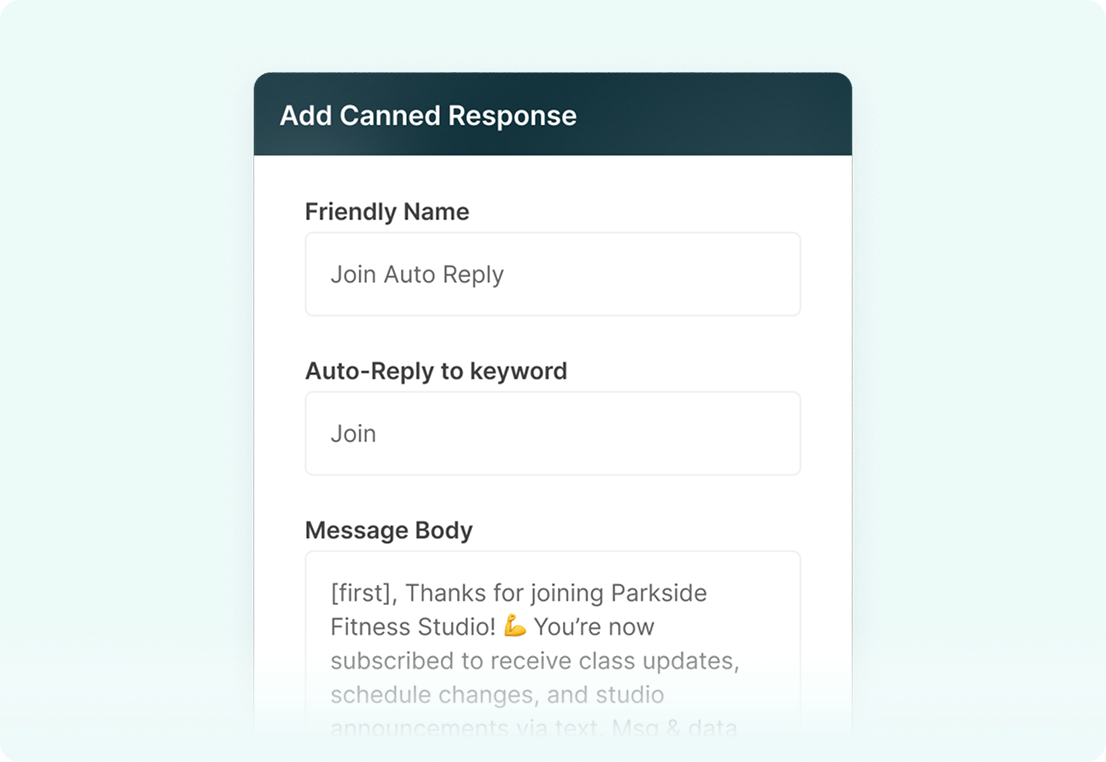
Automate court reminders, intake follow-ups, deadline notifications, and document requests while ensuring every automated message remains logged and tied to the client record.
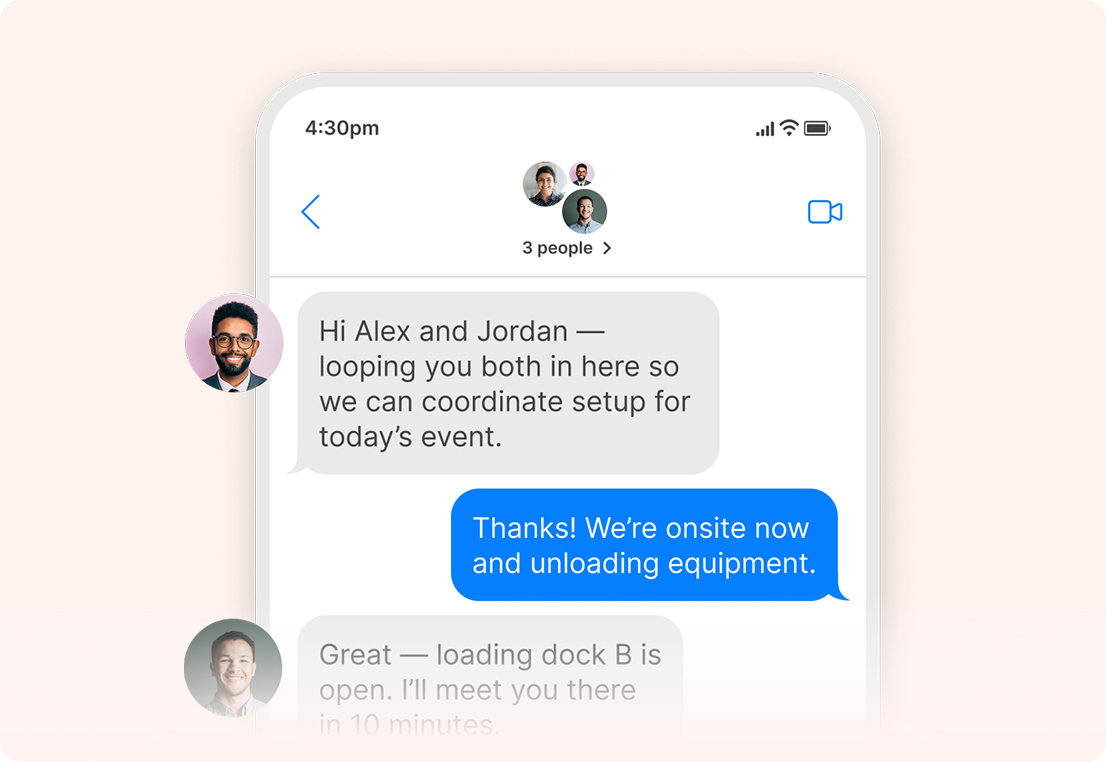
Communicate with multiple internal team members or send coordinated updates to client groups without exposing recipient information, maintaining confidentiality and control.
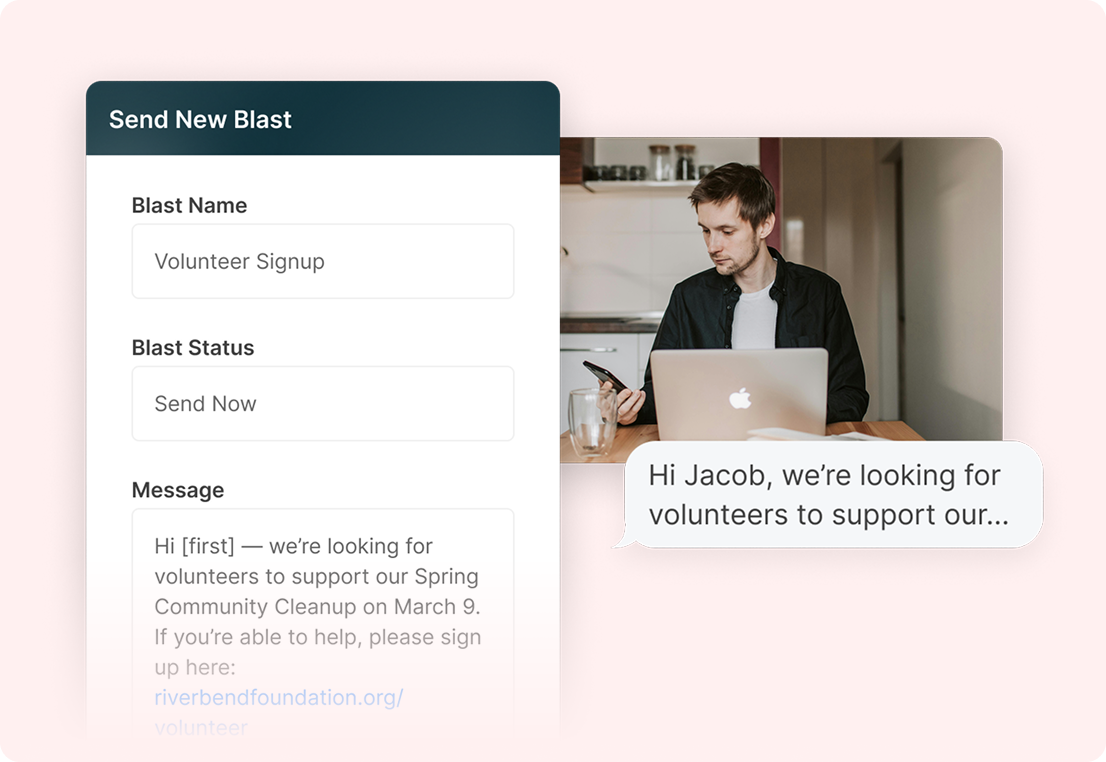
Send structured one-to-many updates such as policy changes, office closures, or high-volume reminders while keeping all responses separated into private, one-to-one threads.
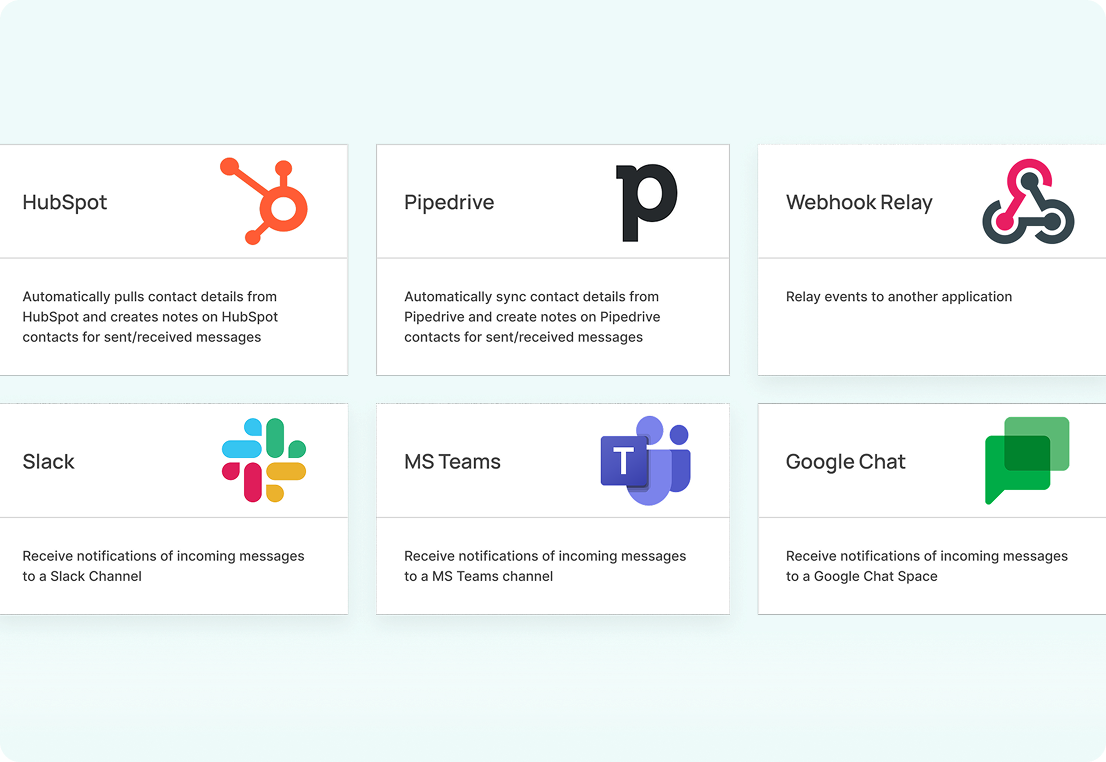
Sync text conversations with CRM, case management, or document systems so communication stays centralized, searchable, and aligned with firm workflows.
TextBetter supports secure text messaging for law firms by automatically capturing and logging every message within your firm’s system. Conversations can flow through your existing email or case management workflows, helping preserve documentation and protect attorney client privilege while keeping communication searchable and organized.
Yes. TextBetter centralizes SMS messaging for law firms on firm-owned numbers so authorized team members can review message history when appropriate. This structure keeps clients informed throughout a matter while maintaining proper oversight and alignment with firm policies.
TextBetter documents client consent and automatically recognizes STOP or unsubscribe requests across your firm’s numbers. This text messaging feature helps ensure communication preferences are consistently enforced, reducing compliance risk and maintaining client satisfaction.
Texting helps firms reduce delays caused by playing phone tag, especially when confirming client meetings or sending court date reminders. With options like scheduled messages, firms can proactively manage outreach and maintain clear, timely communication throughout each matter without having to make endless phone calls.
Landline texting solutions built for business
Prefer to talk it through? Call us at (800) 322-1112