Veterinary Text Messaging: Why Vet Clinics Are Trading Phone Tag for Texts
Pet owners don’t answer calls they don’t recognize, and most of them never listen to voicemail. Veterinary text messaging fixes that. It lets your clinic confirm appointments, send pickup updates, collect photos, and answer quick questions from the phone number clients already have saved, with no change to your phone system.
This guide covers why texting works so well for veterinary practices, the six ways clinics use it every day, and how to get started without creating a compliance headache.
TL;DR: Veterinary text messaging means sending and receiving SMS from your clinic’s existing landline or VoIP number. It cuts phone tag, reduces no-shows, keeps client conversations on practice-owned numbers instead of staff cell phones, and takes minutes to set up once carrier registration is approved.
In this article
- Why pet owners prefer texting to phone calls
- Six ways vet clinics use veterinary text messaging every day
- Setting up veterinary text reminders
- Text from the number clients already know
- Keep the whole front desk on the same page
- A quick word on SMS compliance for vet clinics
- How to get started with veterinary text messaging
- Key takeaways
- FAQ
Why pet owners prefer texting to phone calls
About 44% of U.S. households own a dog and about a third own a cat, according to the AVMA. That is a lot of people your front desk needs to reach, and most of them are reaching for their phones to text, not to call.
The front desk reality looks like this:
- The phone rings during an exam, and the call goes to voicemail.
- The owner calls back during lunch, and now you are the one on voicemail.
- Two days later, nobody is sure whether the appointment was confirmed.
A text breaks that loop. It gets read within minutes, it doesn’t interrupt an exam, and the owner can reply when they have a free hand. Many practices also discover something surprising when they text-enable their main line: clients were already texting it. Those messages were going nowhere, and the clinic looked unresponsive without knowing it.
Six ways vet clinics use veterinary text messaging every day
Once the main line can text, practices find uses for it fast. These are the ones we see most often:
1. Appointment reminders and confirmations. A reminder the day before, with a “reply C to confirm,” fills gaps before they become no-shows. Clinics that want these sent on a schedule use automated appointment reminders so nobody at the desk has to remember.
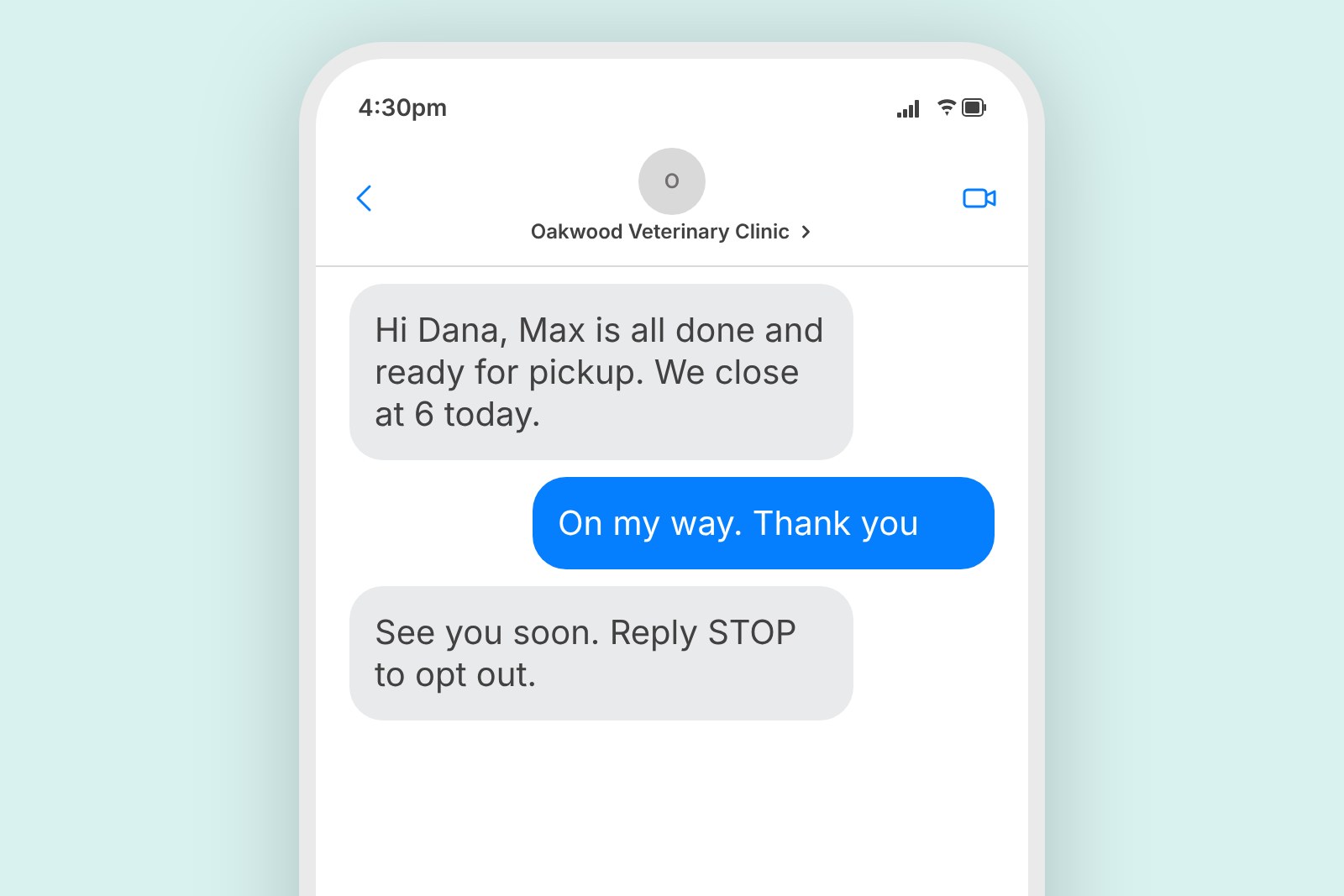
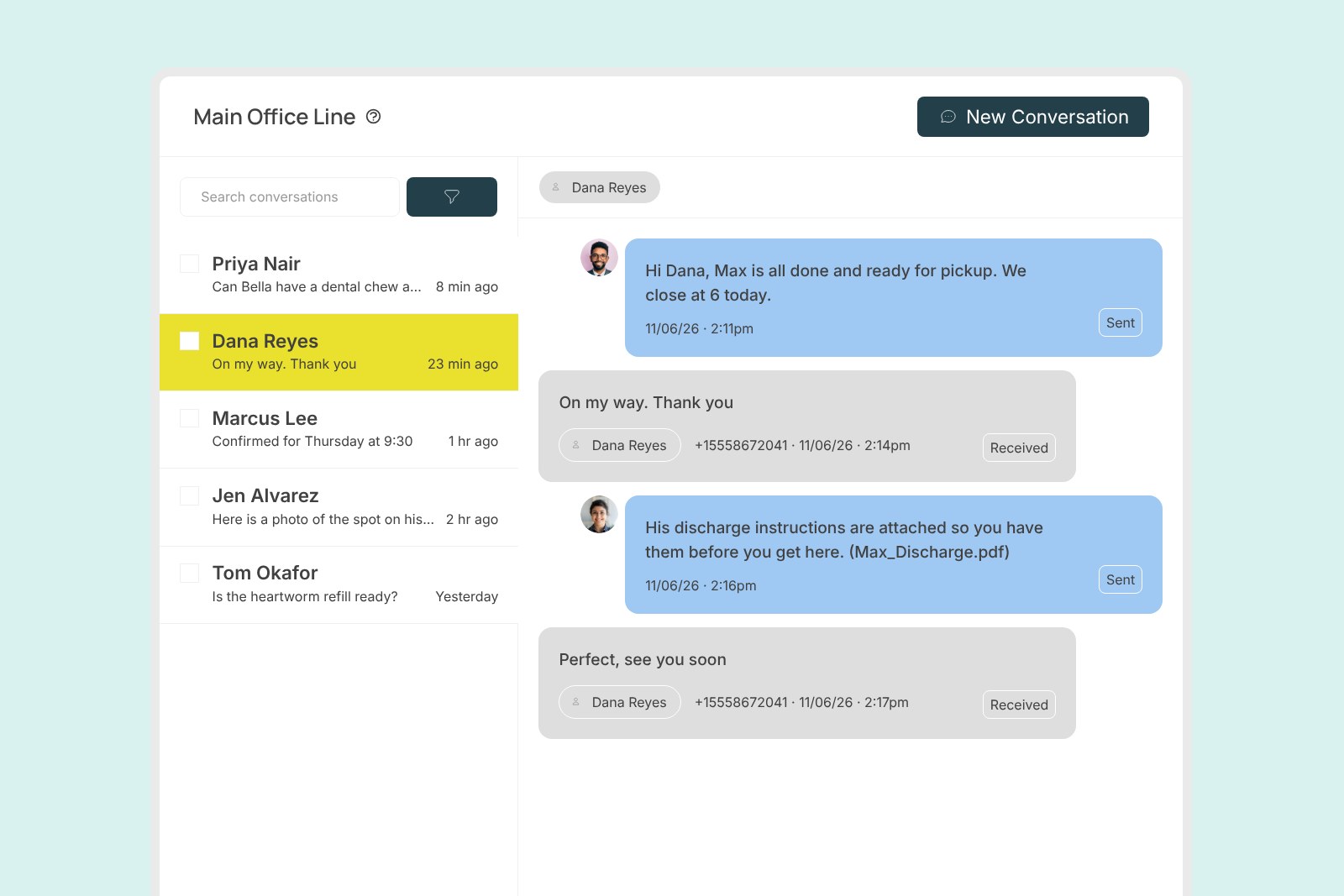
2. “Your pet is ready for pickup.” After surgery, dental work, boarding, or grooming, one text replaces a round of calls and gives the owner something to show the person picking up.
3. Lab results and follow-up instructions. “Bella’s bloodwork is in and looks normal. We’ll see her in six months.” Short, documented, and done.
4. Photos in both directions. Owners can text a picture of a rash, a wound, or a medication label before deciding whether to come in. Clinics can send a post-op photo so an anxious owner can see their pet resting comfortably.
5. Prescription refills and vaccine reminders. Refill-ready alerts, heartworm season reminders, and annual vaccine notices can go out as text blasts to a list, with each reply landing back as a private one-to-one conversation.
6. Quick questions. “Can Max have this treat?” “Are you open Saturday?” These never needed a phone call, and a text answers them in ten seconds.
Setting up veterinary text reminders
Reminders are where most clinics start, and where they see results first. A good veterinary SMS appointment reminder setup covers three moments:
- The day before: date, time, pet’s name, and a simple way to respond, like “Reply C to confirm or R to reschedule.”
- The morning of: a short nudge with anything the owner needs to bring or do before the visit.
- After the visit: vaccine due dates and refill reminders, scheduled weeks or months out.
Keep each reminder short, name the clinic, and send it from the number clients can call or reply to. Replies should land in the same inbox as every other client conversation, so a quick “can we move it to Thursday?” never goes unanswered. If your practice management software already sends reminder emails, you can usually send reminder texts from the email system you already use without a new integration.
Text from the number clients already know
Many texting services hand you a short code or a random new number. The problem is trust. Pet owners don’t recognize a five-digit number, and many of them block short codes entirely.
Carol J., a practice manager at a veterinary clinic, put it plainly in her Capterra review: “Many clients would rather text than call or email. And since our texts aren’t coming from a short-code (like the prior service we used), clients trust it.”
The fix is to text-enable your existing landline or VoIP number instead. Your voice service stays exactly as it is. Texts simply start arriving on the same number that is already on your website, your door, and your reminder cards. There is no porting and no number change, and TextBetter handles the carrier registration so messages are delivered reliably.
Keep the whole front desk on the same page
The other common failure is texting from personal cell phones. A technician texts an owner from their own phone, then goes on vacation, and the conversation leaves with them. The practice has no record, and the next person has no context.
A shared inbox for two-way texting solves that. Everyone at the desk sees the same conversation history, replies come from the practice number, and nothing lives on an employee’s device.
For practices that already run on Outlook or Gmail, Email-to-Text is often the simplest route. Staff send a text by emailing the client’s mobile number, and replies come back into the same email thread. One veterinary office we work with saves its standard messages as email signatures, inserts them with one click, and personalizes from there. No new software, no training day.
A quick word on SMS compliance for vet clinics
Veterinary practices are not subject to the same messaging regulations as human healthcare, but business texting still has rules. The short version:
- Carrier registration. U.S. carriers require businesses to register their texting use case through The Campaign Registry (10DLC) before messages from a local number are delivered at full volume. Skipping this is the number-one reason business texts get filtered.
- Consent. Clients should opt in before you text them, and the CTIA Messaging Principles and Best Practices expect you to keep a record of that consent.
- Opt-outs. Any reply of STOP has to be honored, every time, on every number. The FCC’s guidance on unwanted texts is a good plain-language starting point.
TextBetter submits 10DLC registration on your behalf, handles STOP requests automatically, and keeps a searchable history of every message. Our SMS compliance page walks through each safeguard. This is general guidance, not legal advice, so loop in your own counsel for anything specific to your practice.
How to get started with veterinary text messaging
Setup is shorter than most practices expect:
1. Pick the number. Usually your main line. Multi-location practices sometimes add a dedicated line per clinic.
2. Choose how staff will text. A shared inbox in the web and mobile apps, Email-to-Text from the inbox you already use, or both.
3. Submit carrier registration. TextBetter prepares and submits it, and flags anything a carrier is likely to push back on before it goes out.
4. Tell clients they can text you. Add “Call or text” next to your number on the website, voicemail greeting, and appointment cards.
5. Save your templates. Confirmation, pickup, results, and refill messages cover most of the volume.
Key takeaways
- Pet owners read texts and ignore voicemail. Meeting them where they are shortens every follow-up.
- Text from your existing landline, not a short code, so clients recognize and trust the sender.
- Keep conversations on practice-owned numbers with a shared inbox or Email-to-Text, never on staff cell phones.
- Register the number, get consent, honor STOP. TextBetter handles the registration and the opt-outs.
FAQ
Do we need a new phone number to text?
No. TextBetter adds texting to the landline or VoIP number you already have. Calls work exactly as before.
Can clients send us photos?
Yes. Picture messaging works in both directions, so owners can send a photo of a symptom and you can send a post-op update.
Does it connect to our practice management software?
Often, yes. Because Email-to-Text treats a text like an email, any system that sends email can send a text. Our SMS integrations page lists the no-code options, and the SMS API covers custom connections.
Ready to stop playing phone tag?
See what your clients have been texting your landline all along. Request a demo and we’ll text-enable your clinic’s number, handle the carrier registration, and have your front desk texting from the number clients already know.