Company

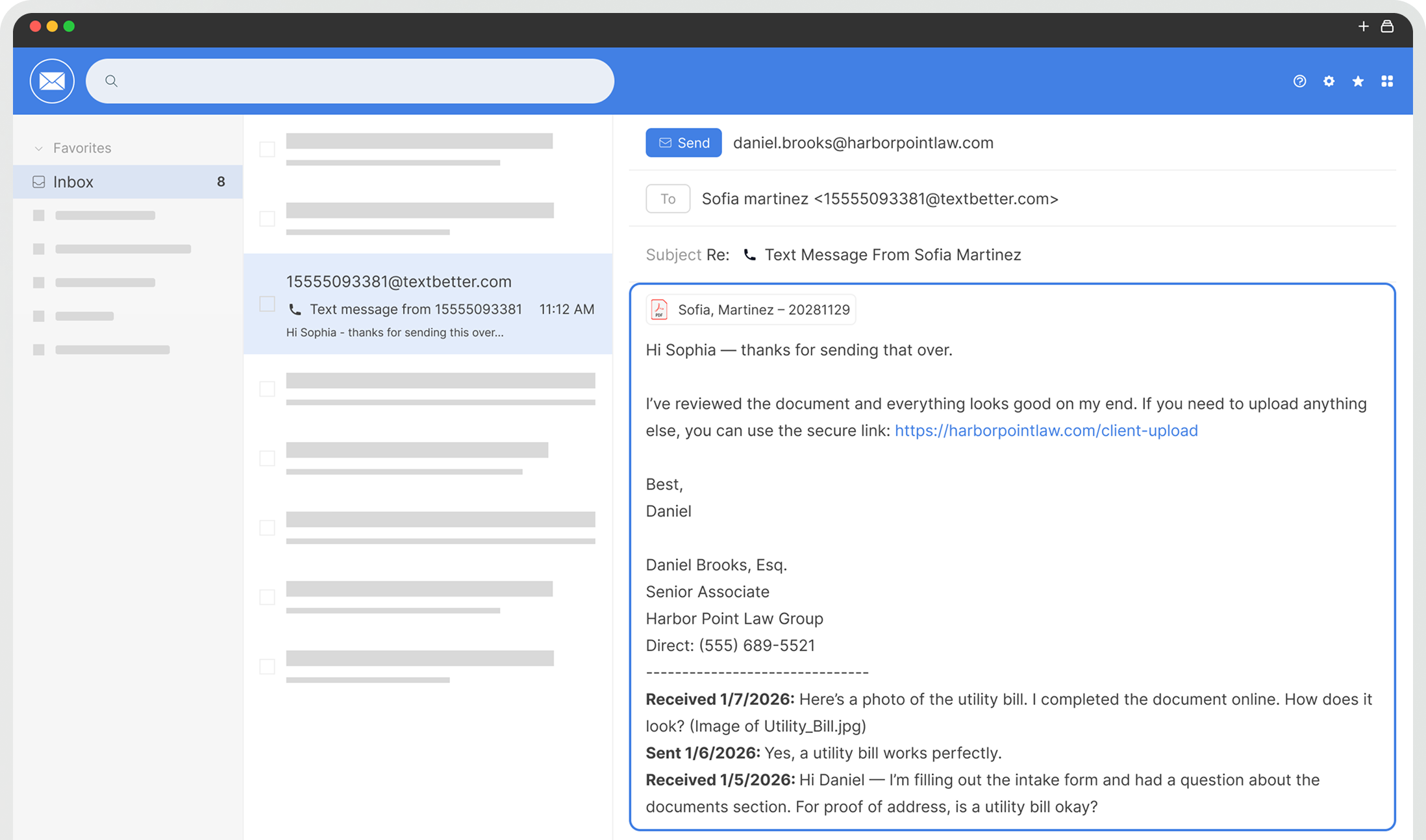
Turn your business email into a fully bidirectional SMS channel. Outbound emails convert to text messages, and inbound SMS replies return directly to your inbox with full conversation history preserved.
Trusted By Businesses





Features
Compose a message in Outlook or Gmail exactly like you normally would. Enter the recipient’s mobile number using the TextBetter format, type your message, and click send.
TextBetter automatically:
To the recipient, it appears as a normal SMS from your business number — not your email address.
When the recipient replies by text:
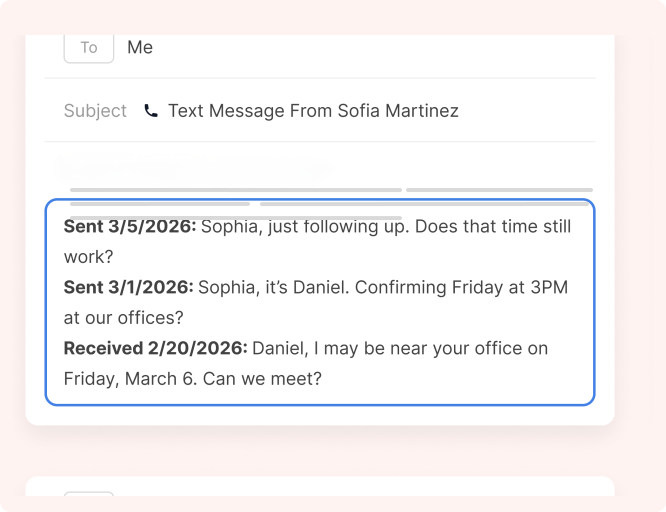
Replies arrive within seconds and include the full conversation history appended at the bottom of the email — preserving context even if subject lines change. Users can simply click “Reply” to continue the conversation.
TextBetter appends structured conversation history to each inbound SMS reply delivered via email using patented message-threading technology — similar to a mobile message transcript.
This ensures:
From a user perspective, texting behaves exactly like email — even though the other party is using SMS.
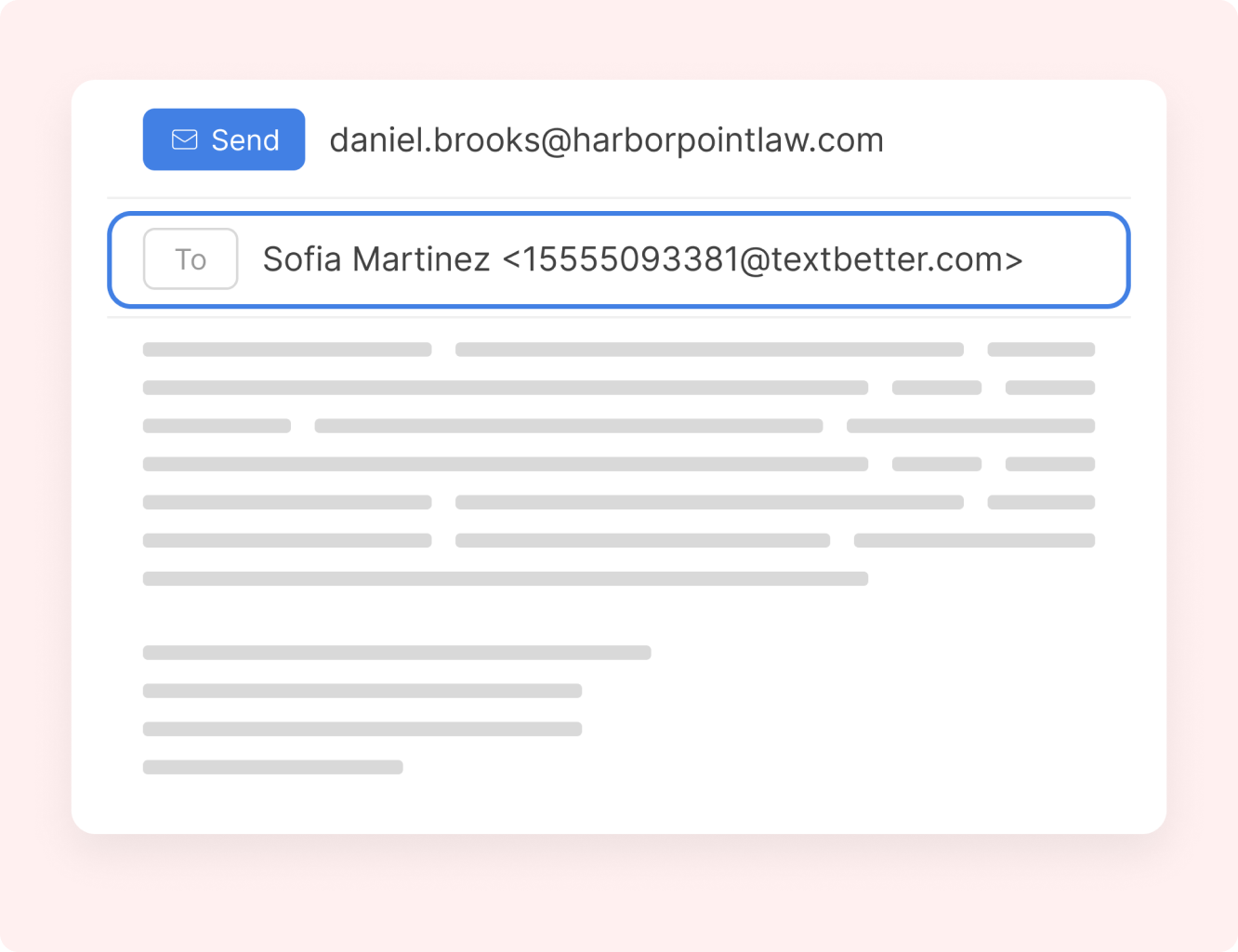
Compose a message in Outlook or Gmail exactly like you normally would. Enter the recipient’s mobile number using the TextBetter format, type your message, and click send.
TextBetter automatically:
To the recipient, it appears as a normal SMS from your business number — not your email address.
When the recipient replies by text:
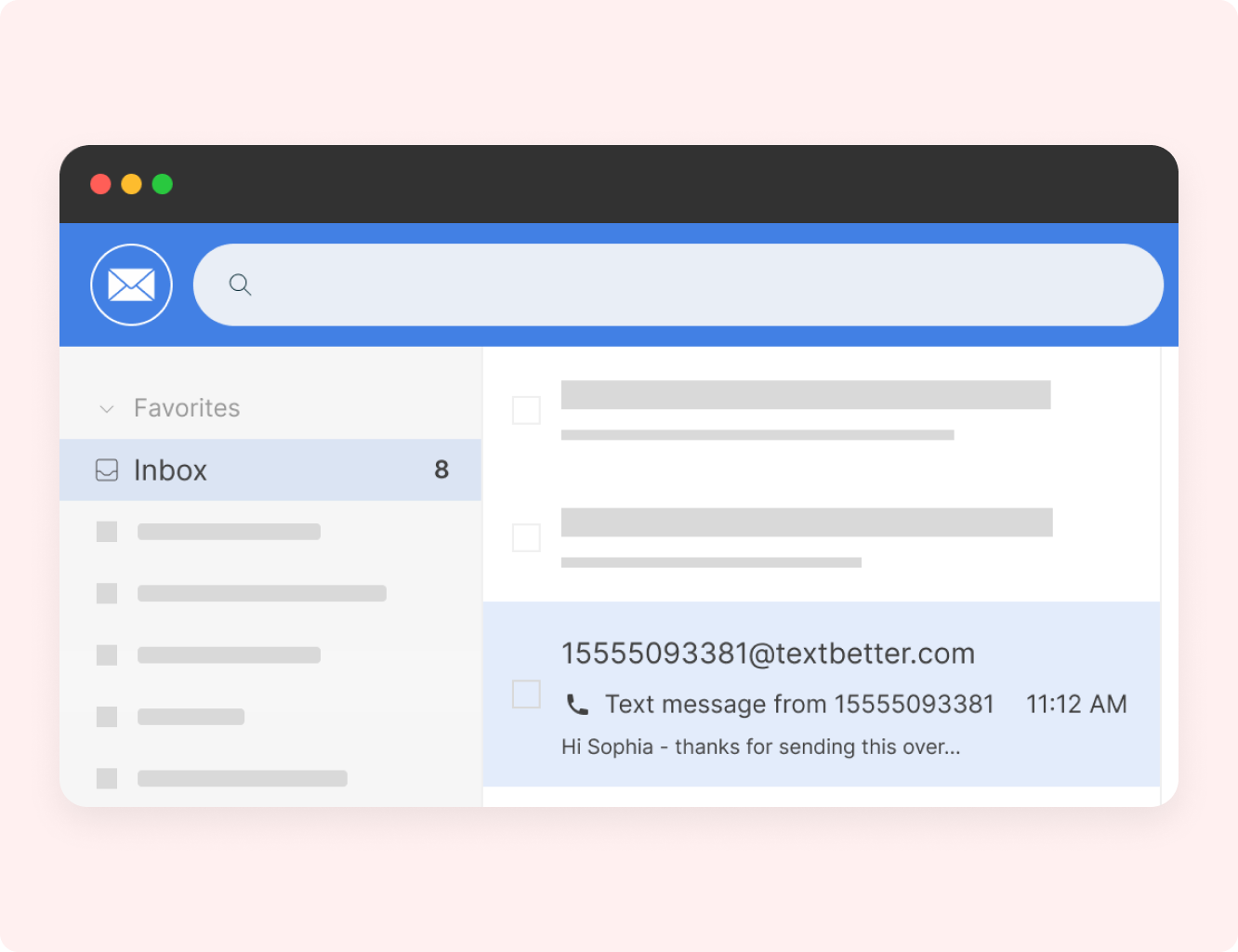
Replies arrive within seconds and include the full conversation history appended at the bottom of the email — preserving context even if subject lines change. Users can simply click “Reply” to continue the conversation.
TextBetter appends structured conversation history to each inbound SMS reply delivered via email using patented message-threading technology — similar to a mobile message transcript.
This ensures:
From a user perspective, texting behaves exactly like email — even though the other party is using SMS.
What Sets TextBetter Apart


Every message follows a defined conversion path — from email to SMS and back again. Outbound emails become text messages. Inbound replies return directly to your inbox, fully traceable and timestamped.

Because SMS flows through your existing email environment, retention policies, archiving tools, and monitoring controls apply automatically. Text becomes part of your established governance structure.

Each approved email address connects to a dedicated business number. This preserves accountability, clean message history, and structured communication without creating a parallel system.
Testimonials
Explore Number Options

Keep your existing landline or VoIP number, known and trusted by customers. Our team handles registration and can text-enable your number in under 30 minutes once approved.

Get nationwide reach with a toll-free texting number. Let our team manage the setup and verification process to ensure high deliverability and prevent message blocking.

Get the flexibility of a virtual number in any area code. Add numbers to your inventory, keep messaging separate from your main office line, or establish a presence in new markets.
Integrations
Email to Text integrates seamlessly with the compliance, archiving, monitoring, and CRM tools you already use. Because it works through your existing email system, SMS messages are automatically captured, logged, and governed across platforms like Microsoft Purview, Smarsh, Proofpoint, GlobalRelay, Salesforce, HubSpot, and virtually any system that processes email.

Yes. Email to Text works with any existing email client — Outlook, Office 365, Gmail, Apple Mail, and any IMAP/SMTP-compatible system.
No. Nothing to install, download, or configure. If you can send an email, you can send text messages.
Because all messages pass through your organization’s email system, they are automatically captured by your existing archive, monitoring, and retention tools — no parallel systems or third party services.
Yes. If your organization uses a shared email inbox (such as [email protected]) that multiple employees can access in Outlook or Gmail, that inbox can be paired with a business number for sending and receiving text messages.
No. Customers see a normal SMS message coming from your business phone number (landline, VoIP, or toll-free).
Yes — MMS is fully supported through the Email to Text workflow.
Landline texting solutions built for business
Prefer to talk it through? Call us at (800) 322-1112